Computer

Use These 5 Steps to Implement New Technology for Your Business

Use These 5 Steps to Implement New Technology for Your Business

Implementing new technology into your IT infrastructure is not something that can be done without serious consideration. If you skip the planning process, the last thing you should expect is for things to work out in your favor. Start by weighing your organization’s specific needs, then consider all of the ways that those needs can be met. Today we are...

Read More


How the Semiconductor Shortage is Influencing Supply Chains Worldwide

How the Semiconductor Shortage is Influencing Supply Chains Worldwide

You may have noticed the recent price increase for consumer and business electronics, and it’s all caused by issues related to the global shortage of computer chips. How have these supply chains, stable for so long, been dealt such a severe blow to the point where acquiring new computers and networking equipment is so challenging? Read on to find out....

Read More
The ABCs of Windows-Key Shortcuts

The ABCs of Windows-Key Shortcuts

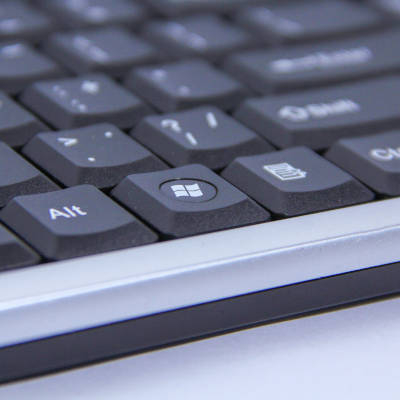
The Windows OS is chock-full of capabilities, with many of these given an associated keyboard shortcut for added convenience. Of course, having these capabilities is one thing, but remembering so many is quite a different story. For your reference, we’ve put together a list of the shortcuts associated with the letter keys, with a few extras as a bonus. Take...

Read More
How an Old Computer is Actually Recycled

How an Old Computer is Actually Recycled

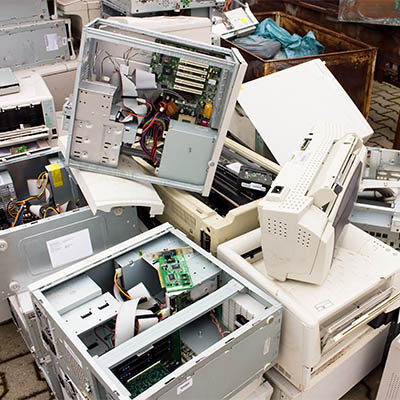
Regardless of how well a new device or gadget works when it is first acquired, they certainly don’t last forever. Eventually, the time comes that your old technology needs to be replaced, leaving you to dispose of it. This requires more than just a quick trip to the dumpster, however. These devices need to be properly recycled, as many contain...

Read More
Solid State is a Solid Choice for Your PC’s Main Hard Drive

Solid State is a Solid Choice for Your PC’s Main Hard Drive

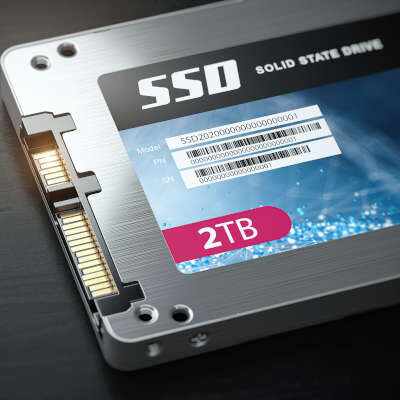
If you are buying a new desktop or laptop, one of the specifications you might care about is how much data it can store. After all, your family computer needs plenty of storage for your photos and documents, and if you have kids, they’ll want to install games and other applications on it that fill up a hard drive. These...

Read More

Getting a New Computer? We Can Help!

By now it should be clear that the same computer might not work for two different businesses’ needs. In previous articles we discussed how to select the right CPU, RAM, storage, and display for your desktop. This final post will be dedicated to some of the topics that couldn’t fit into previous parts. Deciding on a Brand Brand can boil...

Read More

Tip of the Week: Doing More With the Windows Key

First introduced in 1994 as only the second piece of hardware produced by Microsoft, a new keyboard that came with Windows 95 was where the Windows key first debuted. Now, the Windows key (also known as the “Win Key”) is an extremely useful tool for the user who is aware of its capabilities. We wanted to briefly go over some...

Read More

Tip of the Week: Properly Cleaning Your Laptop

When you consider all that the typical workstation has to endure (potentially grubby hands poking at it all day, crumbs, sneezes, you get the idea), there is little wonder that our devices can get so dirty. Here, we’ll be discussing how to properly clean your device. For the purposes of this blog, we’ll be more directly focusing on the proper...

Read More

You’ll Never Guess the Key to Completely Rebooting Your Computer

When you have a problem with your computer and you reach out for help, the first thing you will probably be asked is, “have you turned it off and turned it back on?” This is not because the technician is lazy, it is because a lot of problems can be fixed by rebooting your computer. Do you need to shut...

Read More

The Future of Windows 7

Did you take advantage of the free upgrade to Windows 10? This free upgrade was offered all across the globe to Windows 7 and Windows 8.1 users for a limited period of time. You expect users would flock towards Microsoft’s newest operating system; so why were so few migrating to Windows 10? The answer comes when we look at Windows...

Read More